Cleaner Guard
- 4.2
- Rating
- 1.00M
- Installs
- Free
- Price

 Analysis by App-foxy
I approach Cleaner Guard as a helper for one specific job: making a cluttered Android phone easier to inspect and tidy. That focus is useful when storage has become a vague worry, but it also sets a sensible expectation. A cleaner can help me review what is taking up room; it cannot decide which personal files matter or replace a backup routine. I’d consider it most useful when I want a guided starting point rather than a deep set of phone-management controls.
A quick way to decide whether it fits
If I were choosing between Cleaner Guard and Android’s built-in storage screen, I’d ask how much guidance I want. The system settings are the natural first stop for checking app sizes or removing an application I no longer use. Cleaner Guard is more appealing when I want a dedicated cleanup session that brings attention to accumulated clutter. For exact folder-by-folder decisions, though, a file manager gives me more control.
That makes it a better match for someone who prefers a simple prompt to a long browse through menus, not necessarily for someone who wants the most detailed view possible. I’d also keep a separate backup habit for important documents and photos. Cleanup and protection solve different problems, and confusing the two is an easy way to make a regrettable deletion.
You May Also Like

 Blood Strike: 2.5 Anniversary
Blood Strike’s Loadouts Turn Every Drop Into a Tactical Gamble
A close look at Blood Strike’s custom loadouts: how fast access to signature weapons reshapes its battle royale rhythm, rewards preparation, and narrows the gap between fights.

 Pandora - Music & Podcasts
Pandora’s Music Is Easy to Start, but Harder to Recover
Pandora’s strength is its low-effort path from a seed to a station. Its weak spot is how much confidence it asks you to place in connection, setup, and quiet recovery.

 8 Ball Pool
 Is Built on Rivalries, Rematches, and Routine
A close look at the rivalries, rematches, shared routines, and unanswered safety questions that turn a quick pool match into a persistent mobile community.

 Samsung Music
’s Quiet Strength Is Playing What You Already Own
Its reach comes less from spectacle than from dependable access to a personal library. That simplicity is both the app’s strongest retention engine and its ceiling.

 AccuWeather: Weather Radar
AccuWeather Review: A Quick, Clear Forecast for Everyday Decisions
For everyday plans, the best forecast is the one you can understand quickly. AccuWeather makes rain timing, radar, and local conditions easy to act on, with a few trade-offs.

 Hill Climb Racing
Why Hill Climb Racing Still Turns Crashes Into One More Run
A tiny car, a bumpy hill and one more upgrade: Hill Climb Racing keeps resurfacing because its simple chaos makes every near-miss feel personal.
More From Our News Desk



A useful rhythm for real life
One practical approach is to treat a cleanup as preparation for a particular need rather than a routine performed just because an app is available. Before a weekend away, for instance, I might check space ahead of taking photos or downloading maps, then review proposed removals while I still have time to think. If I wait until the phone is almost full and I’m trying to capture something, I’m more likely to rush through choices.
I’d also avoid running cleanup immediately after saving a file I haven’t yet sorted. When I’ve just downloaded a boarding pass, a work attachment, or a family photo, I want to know where it is before I review any suggestions. A quick manual check of recent files first gives me a clearer sense of what must stay and makes the cleanup decision less guesswork-driven.
For a shared family phone, the person doing the cleanup should be the person who understands the files. A tidy-up that seems obvious to one person may remove something another person expected to keep. Cleaner Guard can make the review approachable, but it cannot supply that personal context; I’d ask before removing anything that could belong to someone else.
What I would watch during use
I’d judge the app less by how much it appears to find and more by whether I can understand each choice before acting. A clear explanation of a suggested item matters more than a dramatic-looking total. If I’m unsure what something is, I would leave it in place and use Android settings or a file manager to investigate. That extra check is a worthwhile trade-off when the item might be meaningful.
It’s also worth noticing whether the cleanup addresses a recurring cause or only the visible result. If downloads keep accumulating, I can review them periodically and remove files I recognize, but I may also need to change where I save items or how long I keep them. The app is most valuable as a prompt to make those decisions, not as a reason to stop paying attention.
I would not make a habit of installing several cleaners to compare their results. Different tools may present storage information in different ways, and more prompts do not automatically mean better decisions. For a straightforward tidy-up, I’d choose one workflow I understand, cross-check uncertain items with the phone’s own controls, and keep personal backups independent of any cleanup tool.
Cleaner Guard is a free Android utility from Sanfro Workteam, and its broad reach—more than a million installs—shows that this kind of guided maintenance appeals to many phone owners. It has an Everyone age rating, an average of 4.3 from roughly six thousand ratings, and version 1.1.1 runs on Android 6.0 or later. Those details make it easy to see who can try it, but the practical question is still whether its style of cleanup suits the way you manage files.
From the first scan to a realistic cleaning routine
I’d use the first scan as a map, not a command: it can help turn a vague sense of clutter into items I can consider one at a time. In this section, I look at how that initial guided check can fit into an ordinary routine, including the moments when a little preparation is more useful than a rushed cleanup.
Why the first week feels useful
The strongest part of Cleaner Guard is its low barrier to entry. I do not need to understand Android storage architecture before trying it. The app is aimed at ordinary phone owners who notice clutter, want a refreshed device, and prefer guided maintenance to searching through folders manually. That makes it particularly approachable for someone whose storage screen feels confusing or whose downloads have quietly accumulated over time.
During the first week, the appeal comes from turning an indistinct problem into a visible task. Instead of wondering why a phone feels crowded, I can begin with the app’s cleaning workflow and review what it identifies. That change in perspective is valuable: the phone stops feeling mysteriously untidy and becomes something I can inspect in small steps.
I would not treat every suggested item as disposable simply because it appears in a cleaning result. A useful habit is to pause before confirming removal, especially when the item is connected to a conversation, work document, travel plan, or an old photo I may still want. Cleaner Guard is most helpful when I use it as a sorting assistant, not as permission to erase everything immediately.
A realistic example is a phone used for family messaging and occasional work. After several weeks, the device may contain repeated images, downloaded documents, and temporary leftovers mixed together. I would open Cleaner Guard before a trip, inspect the categories it presents, remove obvious clutter, and leave anything whose purpose is unclear. That workflow takes more judgment than tapping a single button, but it is much safer and gives the app a meaningful role.
What makes it approachable for nontechnical users
The app’s main advantage is clarity of purpose. It is not trying to be a full file manager, backup service, or performance laboratory in my experience. That narrower identity helps people who simply want a cleaner device without learning a new vocabulary. The Everyone rating also reflects its broad positioning: this is a utility intended for general phone owners rather than a specialist tool for advanced Android users.
There is a useful psychological benefit here. Manual cleanup often gets postponed because it feels tedious. A dedicated app creates a clear starting point, and that can be enough to turn an occasional chore into a repeatable routine. I found the first session more valuable when I set a specific goal, such as freeing space before recording a video or organizing a phone before handing it to a family member.
Still, the first-week experience can create unrealistic expectations. A cleaner cannot compensate for a nearly full device that is constantly receiving large media files. It can help locate removable material, but it does not change the size of applications, the quality of a camera’s files, or the amount of content a person chooses to keep. The app works best as a maintenance layer around better storage habits.
Three decisions that improve the results
My first practical tip is to clean in separate passes rather than approving every category at once. I would begin with items I recognize immediately, then stop and check whether the phone behaves normally. This makes it easier to identify an unwanted deletion and avoids turning a routine cleanup into a recovery problem.
Second, I would use the app before predictable storage-heavy moments instead of waiting for an emergency warning. A phone used for navigation, photography, or video calls benefits from a little preparation before a holiday or event. The advantage is not only recovered space; it is having time to review files calmly rather than deleting under pressure.
Third, I would compare the app’s suggestions with Android’s own storage controls. The built-in tools remain the best reference for understanding which applications consume space and which files are genuinely important to the operating system. Cleaner Guard can make the discovery process friendlier, while Android’s settings provide a useful second opinion. That combination is more responsible than treating any third-party cleaner as the sole authority.
Where the usual alternatives are stronger
Android’s native storage management is the obvious alternative, and it has one major strength: it is already part of the operating system. There is no extra app to remember, and it is the natural place to uninstall large applications or inspect broader storage usage. If my only goal is removing a single unused app, I would probably go there first.
A file manager is better when I need precise control. It lets me browse folders, rename documents, move media, and decide exactly what stays. That precision comes with more effort, so it is less welcoming for someone who only wants a guided refresh. Cleaner Guard occupies the middle ground: simpler than manual file management, but less fundamental than Android’s own controls.
Cloud photo services and backup routines solve a different problem. They can reduce local pressure by moving personal files elsewhere, but they introduce questions about account storage, synchronization, and whether the original should remain on the phone. Cleaner Guard is not a replacement for a backup strategy. I would never use a cleaning session as my only protection for irreplaceable photos or documents.
The first signs of friction
The main friction is the responsibility placed on the user at the moment of deletion. A clean interface can make removal feel safer than it really is. I prefer to read labels carefully, open anything uncertain, and keep a backup of important personal material. This is not a criticism unique to Cleaner Guard; it is the unavoidable trade-off of any tool that helps remove files.
Another limitation is that the app’s usefulness depends on how much clutter exists in the first place. Someone with generous free space, disciplined downloads, and few duplicate files may not notice a lasting benefit. The first scan can be satisfying, but the value becomes smaller if there is little to maintain afterward.
Does it earn a place after the novelty fades?
Cleaner Guard earns a place on my phone when I treat it as an occasional checkpoint rather than a permanent cure. Its recurring value comes from reducing the effort needed to inspect clutter, especially for people who dislike navigating Android storage menus. I can imagine opening it before a busy period, after a long stretch of messaging, or when the phone begins warning about space.
That value is conditional. I would not keep it solely because the first scan produced an impressive-looking result. I would keep it if its review process felt understandable and if I actually returned to it when the device needed attention. A cleaner app that is never opened is only taking up space itself, however small its footprint may be.
Who should use it, and who should skip it
I recommend Cleaner Guard to casual Android users who want a guided way to refresh a device, people who regularly accumulate downloaded media, and anyone who finds built-in storage screens difficult to interpret. It is also a reasonable choice for households where one person is more comfortable with technology than another and wants to offer a simpler maintenance workflow.
I would skip it if I already manage storage confidently through Android settings and a file manager. Advanced users who need detailed folder operations, reliable archival workflows, or a complete backup plan will find more suitable tools elsewhere. I would also avoid relying on it as a performance miracle. Cleaning visible clutter can improve available space, but it does not automatically make every older phone feel new.
My long-term verdict
After the initial appeal wears off, Cleaner Guard remains useful as a lightweight reminder to review a phone’s accumulated clutter. Its best quality is accessibility: it gives ordinary users a clear starting point without demanding technical knowledge. The free price makes trying it easy, and the broad device compatibility means it can serve people using older Android phones as well as newer ones.
My reservation is that the app cannot create a maintenance habit on its own. The lasting result depends on how carefully I review suggestions and whether I change the behavior that caused the clutter. I would use it alongside Android’s storage controls, sensible backup practices, and occasional manual checks rather than handing it complete control.
In the end, Cleaner Guard is a practical tool for guided cleanup, not a substitute for storage awareness. I would recommend it to a friend who wants an uncomplicated way to inspect a crowded phone, with one clear warning: take a moment before deleting anything personal. If that small amount of judgment is acceptable, the app can earn recurring value instead of remaining a one-time novelty.
FAQs for Cleaner Guard
01What is Cleaner Guard and what does it do?
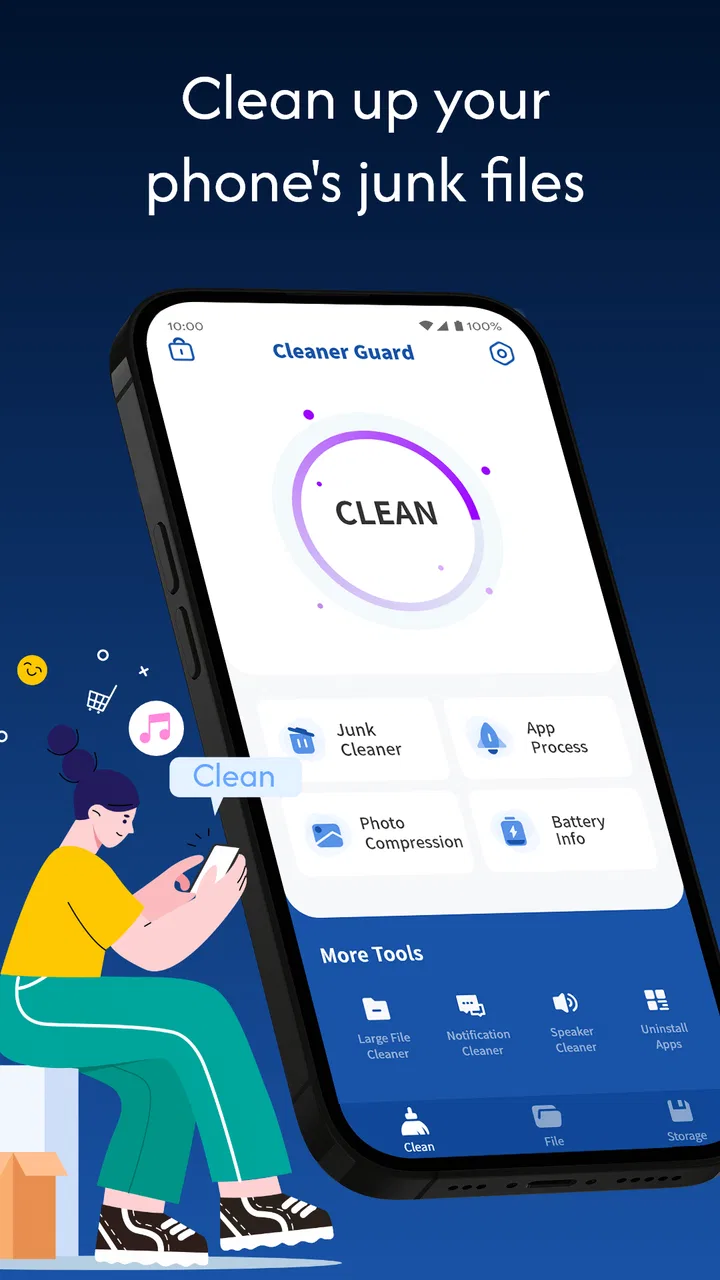
Cleaner Guard is an app designed to optimize your smartphone's performance by removing unnecessary files, managing storage, and boosting speed. It provides features like junk file removal, memory boosting, and app management to ensure your device runs smoothly and efficiently.
02Is Cleaner Guard safe to use on all devices?
Yes, Cleaner Guard is safe to use on both Android and iOS devices. It undergoes regular updates and security checks to ensure it does not harm your device or compromise your personal data. Always download from official app stores to avoid counterfeit versions.
03Does Cleaner Guard consume a lot of battery while running?
Cleaner Guard is designed to be energy-efficient. It runs in the background with minimal battery consumption, ensuring that it doesn’t drain your battery while optimizing your device. During intensive cleaning processes, some temporary increase in battery use may occur.
04Can Cleaner Guard remove important files by mistake?
Cleaner Guard uses intelligent algorithms to identify and remove only unnecessary files. It typically targets cache, temporary files, and junk data. However, users should review the files marked for deletion to ensure no important data is unintentionally removed.
05Is there a premium version of Cleaner Guard, and what additional features does it offer?
Yes, Cleaner Guard offers a premium version with advanced features. These may include deeper cleaning options, ad-free experience, real-time monitoring, and priority support. The premium version is designed for users who want enhanced performance and additional customization options.
Pros
- Intuitive interface for easy navigation.
- Cleans junk files efficiently and quickly.
- Boosts device performance noticeably.
- Includes battery optimization features.
- Supports multiple languages for accessibility.
Cons
- Frequent ads can interrupt usage.
- Limited features in free version.
- Occasional crashes on older devices.
- Requires internet for some functions.
- Lacks advanced customization options.

Cleaner Guard
Gallery